Cord Cutting Guide: Replace Cable With Streaming and Save Over $100 a Month
Follow this cord cutting guide to ditch cable TV and build a streaming setup that covers live sports, news, and on-demand shows while saving over $100 monthly.
Anúncios
The average cable bill in the United States sits above $120 per month before taxes and equipment fees. Replacing that bundle with streaming services costs between $30 and $70 depending on your viewing habits, leaving real money in your pocket every billing cycle. Cord cutting is no longer experimental — it is the default for millions of households.
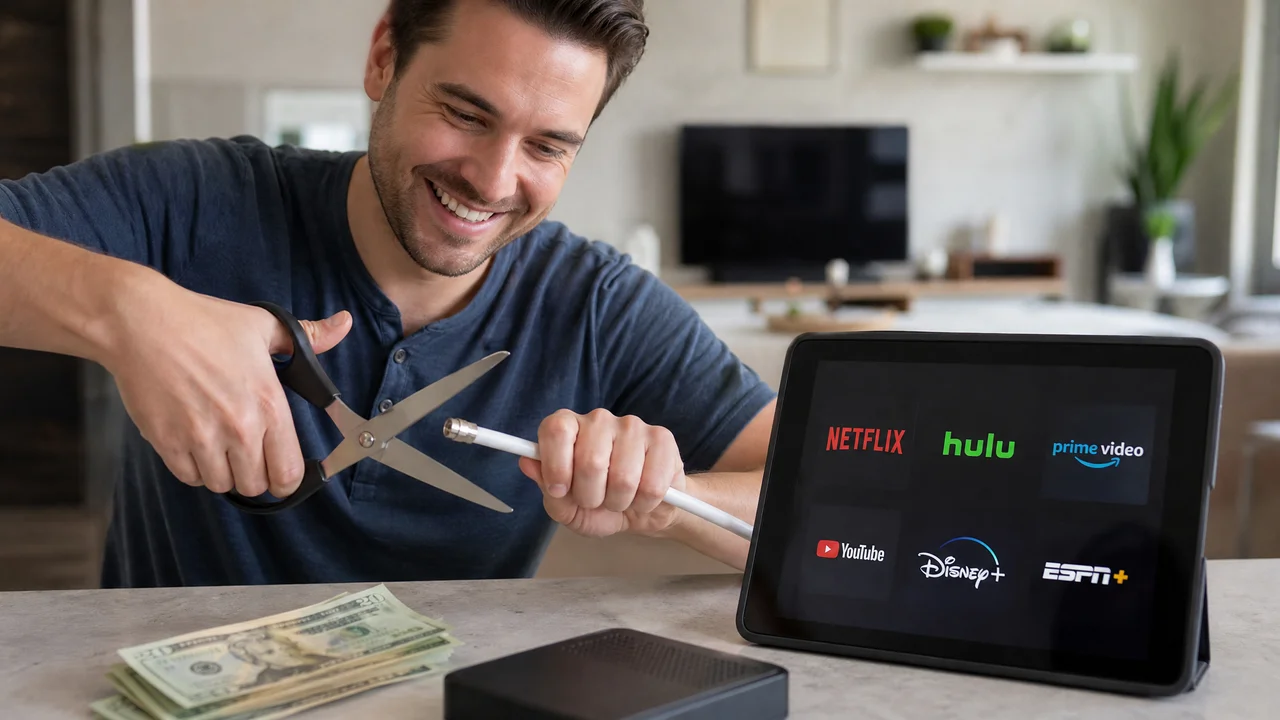
This guide covers every step of the transition: auditing what you actually watch, choosing replacement services, handling live sports and local news, setting up hardware, and avoiding the common traps that make cord cutters crawl back to cable.
Anúncios
How Much Does Cable Really Cost When You Add Every Fee?
Cable companies advertise promotional rates around $50 to $70, but the real number balloons once you factor in broadcast fees, regional sports fees, DVR charges, and equipment rental. A single set-top box costs $10 to $15 per month. Add a second box for the bedroom and the hardware alone rivals the price of a streaming subscription.
Pull your last three cable statements and total every line item. Most households discover they spend $150 to $200 monthly once all fees surface. That number becomes your savings target — any streaming combination that comes in below it represents genuine monthly savings.
Anúncios
What Do You Actually Watch Every Week?
Before canceling anything, spend two weeks writing down every show you watch and which channel carries it. Most people find that 80 percent of their viewing comes from five to eight channels. The remaining hundreds of cable channels collect dust and cost money for nothing.
Sort your list into three buckets: on-demand shows available on streaming platforms, live events like sports and news, and niche channels with no obvious streaming equivalent. The first bucket is easy to replace. The second requires a live TV streaming service. The third may not need replacing at all once you see how little you actually tune in.
Which Live TV Streaming Services Replace Cable Channels?
| Service | Monthly Price | Channel Count | DVR Storage | Notable Channels |
|---|---|---|---|---|
| YouTube TV | $73 | 100+ | Unlimited | ESPN, Fox, ABC, NBC, CBS, CNN |
| Hulu + Live TV | $77 | 95+ | Unlimited | Same as YouTube TV + Hulu library |
| Sling TV Orange + Blue | $60 | 50+ | 50 hrs (upgradable) | ESPN, AMC, CNN, HGTV |
| FuboTV Pro | $80 | 190+ | 1000 hrs | Sports-heavy, beIN Sports, NFL Network |
| Philo | $28 | 70+ | Unlimited | AMC, HGTV, Discovery, Hallmark |
YouTube TV and Hulu + Live TV offer the broadest channel lineups and unlimited DVR, making them the closest one-to-one cable replacements. Sling TV costs less but requires choosing between sports-focused (Orange) and entertainment-focused (Blue) packages. Philo fits households that skip sports entirely and want the cheapest entry point.
How to Watch Live Sports Without a Cable Subscription
Live sports remain the strongest reason people hesitate to cut the cord. NFL games split across NBC, CBS, Fox, ESPN, Amazon Prime Video, and NFL+. NBA games live on ESPN, TNT, and league-specific apps. Each league has different streaming rights, so no single service captures everything.
YouTube TV covers the majority of major sports broadcasts for a single monthly fee. Pair it with Amazon Prime Video for Thursday Night Football and a league-specific app for out-of-market games. This combination costs roughly $90 total — still less than most cable sports packages after fees.
Can You Still Get Local News and Network Channels for Free?
An over-the-air (OTA) antenna picks up ABC, CBS, NBC, Fox, PBS, and CW in uncompressed 1080p for free. Modern antennas are flat, inexpensive, and mount on a wall or window. One-time cost ranges from $20 to $50, with no monthly fees. Reception depends on your distance from broadcast towers.
Pair the antenna with a network tuner like HDHomeRun or Amazon Fire TV Recast to add DVR functionality. Record local news, live events, and prime-time shows without subscribing to any service. This setup eliminates the most common objection people raise when considering cord cutting.
What Hardware Do You Need to Start Streaming?
- Roku Streaming Stick 4K — Budget-friendly, supports all major apps, simple interface
- Amazon Fire TV Stick 4K Max — Best for Alexa integration and Prime Video
- Apple TV 4K — Premium option with AirPlay, HomeKit, and excellent upscaling
- Chromecast with Google TV — Affordable, clean interface, Google Assistant built in
- Smart TV built-in apps — No extra hardware needed if your TV runs Roku, Google TV, or webOS
- OTA antenna — One-time purchase for free local channels
Most cord cutters need one streaming device per TV. A $35 to $50 stick handles 4K HDR content without stuttering. Avoid spending more than $150 on hardware unless you specifically need Apple ecosystem integration or a dedicated gaming console that doubles as a media player.
How to Build a Streaming Bundle That Costs Under $50 a Month
Start with one on-demand service that covers your primary genre. Netflix or Disney+ for families, Amazon Prime Video if you already subscribe to Prime for shipping. Add a free ad-supported service like Tubi or Pluto TV for casual browsing. Layer in one niche service if needed — Peacock for NBC content or Paramount+ for CBS shows.
A combination of Disney+ ($8), Netflix Standard with Ads ($7), and Amazon Prime Video (bundled with a $15 Prime membership you may already have) totals around $30. Add Tubi for free and you have access to thousands of movies and shows. Compare that to a $150 cable bill and the savings speak for themselves.
What About Internet-Only Plans From Your Cable Provider?
Dropping TV service while keeping internet through the same provider usually reduces the bill by $60 to $100 per month. Some ISPs raise the internet-only price after the bundle discount disappears, so call and negotiate before assuming the rate will hold. Ask for retention offers — companies often discount internet to prevent losing you entirely.
Check whether fiber or fixed wireless providers serve your area. Competition gives you leverage. If a second ISP offers comparable speed at a lower internet-only price, mention it during your negotiation call. Cable companies match competitor pricing more often than they admit publicly.
Will You Miss the Channel-Surfing Experience?
Channel surfing satisfies a specific need: passive discovery without decision fatigue. Free services like Pluto TV and Samsung TV Plus replicate this by offering linear channels that play continuously. Tune in to the action movie channel or the reality TV channel and let the feed run. No searching, no choosing, no commitment.
Streaming platforms also improve at passive viewing through shuffle modes and curated playlists. Netflix's Play Something feature picks a title based on your history and starts it immediately. These features reduce the friction that makes some viewers nostalgic for a cable guide.
How to Handle the Transition Without Losing Access to Anything
Run your streaming setup alongside cable for one month before canceling. Subscribe to the services you plan to keep, verify that every show and channel on your list is covered, and confirm that the hardware works on every TV. This overlap period costs one extra month of cable but eliminates the panic of discovering a gap after the plug is pulled.
Return all rented cable equipment promptly after canceling. Unreturned boxes incur fees of $100 or more per device. Get a receipt or take a photo of the return confirmation. Equipment disputes are the most common billing headache after cord cutting, and proof of return shuts them down immediately.
Common Cord Cutting Mistakes and How to Avoid Them
The most expensive mistake is subscribing to too many services at once. Excitement drives people to sign up for five or six platforms simultaneously, recreating a cable-sized bill with extra steps. Start with two services and add more only when you run out of things to watch on those two.
Another trap is ignoring free trials and annual discounts. Most services offer seven-day to 30-day trials, and annual billing saves 15 to 20 percent over monthly payments. Stack your trials when you first cut the cord to test each platform before committing money.
Sample Monthly Budget: Cable vs Cord Cutting
| Expense | Cable Setup | Streaming Setup |
|---|---|---|
| TV Service | $120 | $0 |
| Equipment Rental | $25 | $0 (one-time $40 stick) |
| DVR Fee | $15 | $0 (included with most services) |
| Internet | $60 (bundled) | $60 (standalone) |
| Netflix Standard | $0 | $16 |
| Disney+ | $0 | $8 |
| Tubi / Pluto TV | $0 | $0 (free) |
| OTA Antenna | $0 | $0 (one-time $30) |
| Monthly Total | $220 | $84 |
| Annual Savings | — | $1,632 |
Frequently Asked Questions About Cord Cutting
Do I need fast internet to replace cable with streaming?
Can I still record shows without a cable DVR?
What if I have a contract with my cable provider?
Will I lose access to on-demand content from cable channels?
Is cord cutting worth it if I only watch a few channels?
Making the Switch Permanent
The first month after cutting cable feels different. Reaching for a remote and scrolling a guide is muscle memory that takes a few weeks to break. Once you settle into the rhythm of opening apps instead of flipping channels, the old habit fades and the savings become the new normal.
Set a calendar reminder three months after canceling to review your streaming subscriptions. Drop anything you are not using, pick up a trial of something new, and check whether your internet bill has crept up. A quarterly audit keeps costs low and ensures your setup still matches what your household actually watches.