How to Transfer Playlists Between Music Streaming Apps
Transfer playlists between Spotify, Apple Music, YouTube Music, and more. Best free and paid tools for seamless music library migration.
Anúncios
Switching music streaming services should not mean losing years of carefully curated playlists. Several tools make transferring your entire music library between platforms fast and surprisingly painless.
Why Would You Need to Transfer Playlists?
Anúncios
Platform switching happens for many reasons: better pricing, superior audio quality, device ecosystem changes, or exclusive content on a different service. Your playlists represent hundreds of hours of curation effort worth preserving.
Some users maintain accounts on multiple platforms and want identical libraries everywhere. Others receive gift subscriptions for a different service and want their music ready without rebuilding collections from scratch.
What Is TuneMyMusic and How Does It Work?
Anúncios
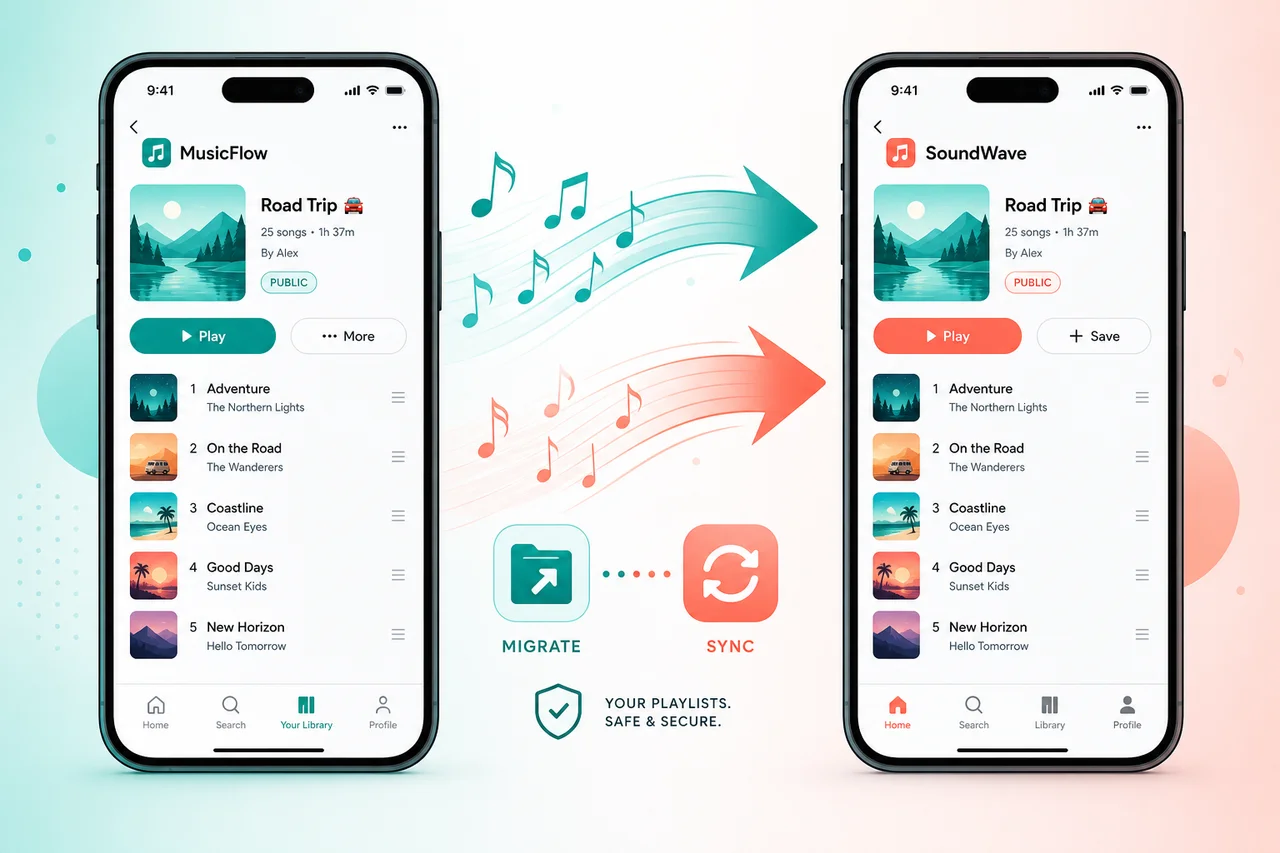
TuneMyMusic is a web-based tool that transfers playlists between streaming services. Select your source platform, choose playlists to transfer, pick a destination, and the tool matches songs across libraries automatically.
The free tier transfers one playlist at a time with a 500-song limit. Premium at $4.99 monthly removes limits and adds automatic sync that keeps playlists updated across platforms continuously when you add new tracks.
How Does Soundiiz Compare to TuneMyMusic?
Soundiiz supports over 40 music platforms including niche services like Deezer, Qobuz, and Last.fm. The interface lets you manage playlists, albums, and liked songs across all connected accounts from one dashboard.
Soundiiz Premium at $4.50 monthly adds batch transfers, automatic sync, and smart links that work across platforms. The tool excels at maintaining complex libraries for users who actively use multiple streaming services simultaneously.
Is FreeYourMusic a Good Free Option?
FreeYourMusic offers a desktop and mobile app for playlist transfers. The free version moves one playlist at a time. The paid version at a one-time $14.99 removes all limits and works offline without requiring a browser.
The app provides detailed transfer reports showing which songs matched and which failed. This transparency helps you manually find missing tracks that did not match automatically due to naming differences between platforms.
What Percentage of Songs Transfer Successfully?
Typical transfer success rates range from 90-98% for mainstream music. Failures happen when track titles, artist names, or album versions differ between platforms. Live recordings and regional releases cause the most matching issues.
Most tools flag unmatched songs so you can search manually on the destination platform. Often the song exists under a slightly different title or as part of a different album version that the automated matcher missed.
Can You Transfer Liked Songs and Saved Albums Too?
Premium tiers of TuneMyMusic, Soundiiz, and FreeYourMusic transfer liked songs, saved albums, and followed artists alongside playlists. This comprehensive migration preserves your entire library structure, not just playlist content.
Transferring followed artists ensures you receive new release notifications on the destination platform immediately. Liked songs populate your new library's recommendation algorithm, helping it learn your taste faster.
How to Transfer From Spotify to Apple Music
Open TuneMyMusic or Soundiiz in your browser. Connect your Spotify account, select playlists to export, then connect your Apple Music account as the destination. Click transfer and wait for the matching process to complete.
Large libraries with thousands of songs may take 10-30 minutes to process. The tool handles API rate limits automatically. Review the results report to catch any important tracks that failed to match.
How to Move From Apple Music to Spotify
The process mirrors the reverse direction. Authorize Apple Music access through the transfer tool, select content, and designate Spotify as the destination. Apple Music's library structure translates cleanly to Spotify playlists.
Apple Music playlists named identically to existing Spotify playlists can merge or create duplicates depending on tool settings. Check import preferences before starting to avoid accidentally duplicating your library.
What About Transferring to YouTube Music?
YouTube Music accepts playlist imports from all major tools. The platform's massive catalog including user uploads means match rates are often higher than other destinations since more obscure tracks tend to exist somewhere on YouTube.
YouTube Music sometimes matches songs to live versions or covers rather than studio originals. Reviewing transferred playlists on YouTube Music ensures you got the correct versions of each track.
Do Transfer Tools Keep Playlists Synced Automatically?
Soundiiz and TuneMyMusic premium tiers offer continuous sync that monitors source playlists for changes. When you add a song to a Spotify playlist, it automatically appears on the synced Apple Music version within hours.
Automatic sync works best for users maintaining active accounts on two platforms. The sync runs periodically rather than instantly, so a short delay between adding and syncing is expected.
Are There Privacy Concerns With Transfer Tools?
Transfer tools require OAuth access to your streaming accounts, which grants read permissions to your library data. Reputable services like Soundiiz and TuneMyMusic follow standard security practices and clearly state data handling policies.
Revoke access after completing transfers if you only need a one-time migration. Both Spotify and Apple Music let you review and remove connected apps through account security settings for peace of mind.
Comparison of Playlist Transfer Tools
- TuneMyMusic: Web-based, simple interface, free tier with 500-song limit, $4.99/mo premium
- Soundiiz: 40+ platforms, batch transfers, auto-sync, $4.50/mo premium
- FreeYourMusic: Desktop and mobile app, offline transfers, $14.99 one-time purchase
- SongShift (iOS): iPhone-only app, clean design, free with limits, $4.99/year premium
- Stamp: Mobile app for iOS and Android, supports 15+ services, $9.99 one-time