Streaming Audio Setup That Turns Your TV Into a Home Theater for Under $200
Build a streaming audio setup under $200 that transforms your TV into a home theater experience with soundbars, bookshelf speakers, and proper configuration.
Anúncios
What Does a Budget Home Theater Audio Setup Include?
A functional home theater audio setup under $200 typically consists of a soundbar with a wireless subwoofer or a pair of powered bookshelf speakers connected directly to your TV. Both options dramatically improve dialogue clarity and bass response compared to the thin, tinny speakers built into modern flat-panel televisions.
Anúncios
The key components are an audio output device, a connection method such as HDMI ARC, optical, or Bluetooth, and proper physical placement in your room. You do not need a full 5.1 surround system to achieve genuinely cinematic sound. A well-positioned 2.1 setup consistently outperforms cheap surround kits at the same price point.
Soundbar vs Bookshelf Speakers: Which Delivers Better Value?
Soundbars win on convenience and simplicity. They mount below your TV, connect with a single cable, and include built-in amplification that eliminates additional equipment. Models like the Vizio V-Series 2.1 and Creative Stage V2 deliver solid performance under $100, leaving budget remaining for a subwoofer upgrade later.
Anúncios
Bookshelf speakers produce wider soundstage and more accurate audio reproduction across frequency ranges. Powered options like the Edifier R1280T eliminate the need for a separate amplifier entirely. They require more careful placement effort but reward listeners with richer, more detailed, and more immersive sound overall.
For dedicated movie watching in a dark room, soundbars offer the cleanest aesthetic. For mixed-use setups where music listening matters equally, bookshelf speakers deliver superior stereo imaging that makes instruments and vocals feel spatially positioned rather than compressed into a narrow bar.
How Does HDMI ARC Simplify Your Audio Connection?
HDMI ARC sends audio from your TV to a soundbar or receiver through a single HDMI cable. This eliminates the need for separate optical or RCA connections and lets you control volume with your TV remote instead of juggling multiple remotes for different devices.
Most TVs manufactured after 2018 include at least one HDMI ARC port clearly labeled on the back panel, usually HDMI port 1 or 2. For the best experience, enable CEC in your TV settings so power and volume sync automatically between your TV and external audio device.
What Is the Difference Between Optical and HDMI for Audio?
Optical cables transmit digital audio reliably but cap out at stereo or basic 5.1 Dolby Digital. HDMI ARC supports higher-quality formats including Dolby Digital Plus, and eARC on newer TVs unlocks lossless Dolby TrueHD and DTS-HD Master Audio passthrough for premium content.
If your soundbar supports eARC, always choose HDMI over optical for the connection. The difference is audible on content mixed in Dolby Atmos, where spatial audio cues add height and depth dimensionality that optical connections simply cannot carry due to bandwidth limitations.
Can Bluetooth Speakers Work as a Home Theater Solution?
Bluetooth speakers connect wirelessly but introduce 100–300 milliseconds of audio latency depending on the codec used. This delay creates noticeable lip-sync issues during dialogue scenes that break immersion. For music and podcasts, Bluetooth works fine, but for movies and TV shows, wired connections remain clearly superior.
Some Bluetooth speakers support aptX Low Latency, which reduces delay to around 40 milliseconds—below the threshold most viewers perceive. If your TV and speaker both support this codec, wireless audio becomes viable for casual movie watching without distracting synchronization problems.
Best Budget Soundbars Under $100
- Vizio V-Series 2.1 — includes wireless subwoofer, HDMI ARC, and Bluetooth connectivity
- Creative Stage V2 — compact 2.1 system with dedicated clear dialogue enhancement mode
- TCL Alto 6+ — seamless Roku TV integration with built-in subwoofer for simplified setup
- Hisense HS218 — slim profile with decent bass response for small to medium rooms
- Bestisan SE10 — ultra-budget option with optical, AUX, and Bluetooth inputs for flexibility
How to Position Your Soundbar for Maximum Impact
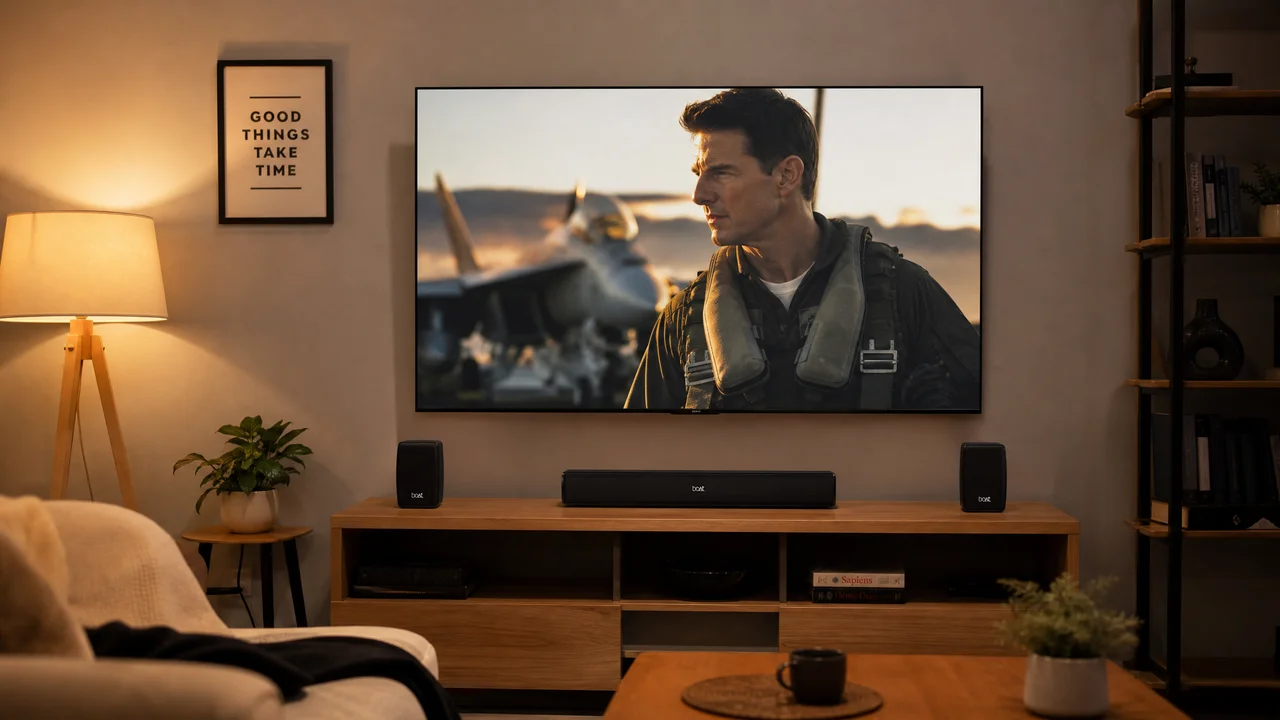
Place the soundbar directly below or in front of your TV, centered with the screen width. If wall-mounting, keep it within 10 centimeters of the TV's bottom edge so sound appears to originate from the picture. Angling it downward slightly improves dialogue projection toward seated listeners.
Avoid enclosing the soundbar inside a media cabinet or recessed shelf. Reflected sound waves from surrounding surfaces cause muddy bass and reduced clarity. If shelf placement is unavoidable, pull the soundbar to the front edge so the drivers have unobstructed space to project sound into the room.
Do You Need a Subwoofer for Streaming Content?
A subwoofer handles low-frequency effects that soundbars and small speakers physically cannot reproduce due to their driver size. Explosions, musical bass lines, and atmospheric rumble all benefit from a dedicated sub. For action movies and music-heavy content, a subwoofer genuinely transforms the listening experience.
Wireless subwoofers included with budget soundbar bundles typically cover the 50–200 Hz range effectively. Placing the sub in a corner amplifies bass output through room boundary reinforcement. Experiment with placement—moving it even 30 centimeters can dramatically change bass response and room feel.
How to Configure Your TV Audio Output Settings
Navigate to your TV's audio settings and switch the output from internal speakers to external audio system or HDMI ARC. Enable passthrough or bitstream mode so the TV sends the original audio format to your soundbar instead of downmixing it to basic stereo first.
Disable any TV-side audio processing like virtual surround, equalizer effects, or dynamic range compression. Let the soundbar handle all audio enhancement. Double-processing through both TV and soundbar creates phase issues that reduce clarity and make dialogue significantly harder to understand.
What Streaming Services Offer the Best Audio Quality?
Apple TV+ and Netflix support Dolby Atmos on compatible content and devices, delivering immersive spatial audio on supported soundbars. Amazon Prime Video delivers 5.1 surround on most originals. Disney+ provides Atmos on Marvel and Star Wars titles with impressive dynamic range.
Spotify, Tidal, and Apple Music stream high-quality audio through most smart speakers and connected devices. If your setup doubles as a music system, Tidal HiFi at $11 per month delivers lossless CD-quality audio that reveals instrumental details compressed streams consistently miss.
Can You Build a Surround Sound System Under $200?
A true 5.1 surround system under $200 requires significant compromise on component quality. Budget home-theater-in-a-box kits from Logitech and Monoprice include five satellite speakers and a subwoofer, but audio quality is noticeably thin and hollow compared to a quality 2.1 soundbar setup at the same total price.
Virtual surround processing on modern soundbars simulates spatial audio convincingly without physical rear speakers. Samsung, Sony, and Vizio all include DTS Virtual:X or Dolby Audio processing that widens the perceived sound field effectively for most streaming content without additional hardware.
Room Acoustics and How They Affect Your Audio Setup
Hard surfaces like tile floors, glass windows, and bare walls reflect sound waves and create echo that muddies dialogue. Adding a rug, curtains, or soft furnishings absorbs reflections and tightens bass response. Even a single bookshelf filled with books diffuses sound effectively.
Small rooms benefit from less powerful audio equipment. A compact soundbar in a 12-square-meter bedroom can produce overwhelming bass, while the same soundbar in a 40-square-meter living room might sound underpowered. Match your speaker choice to your room dimensions for the best listening experience.
Upgrading Your Setup Over Time
Start with a 2.1 soundbar and add components as your budget allows. Many soundbar manufacturers sell compatible rear speakers separately, letting you expand to a 5.1 configuration without replacing your existing equipment. Vizio and Samsung both offer modular expansion speaker kits for their soundbar lines.
Powered bookshelf speaker owners can add a standalone subwoofer like the Dayton Audio SUB-800 for around $100. This upgrade path builds a genuinely impressive audio system incrementally while keeping each individual purchase under a manageable budget threshold.