Streaming Device Comparison: Roku, Fire Stick, and Chromecast Tested Side by Side
Roku vs Fire Stick vs Chromecast tested side by side. Compare speed, apps, remote quality, and 4K support to pick the right streaming device for your TV.
Anúncios
Three streaming sticks sit on a shelf at nearly the same price, and each one promises the same thing. A proper streaming device comparison reveals meaningful differences in speed, app support, and daily usability that the packaging never mentions.
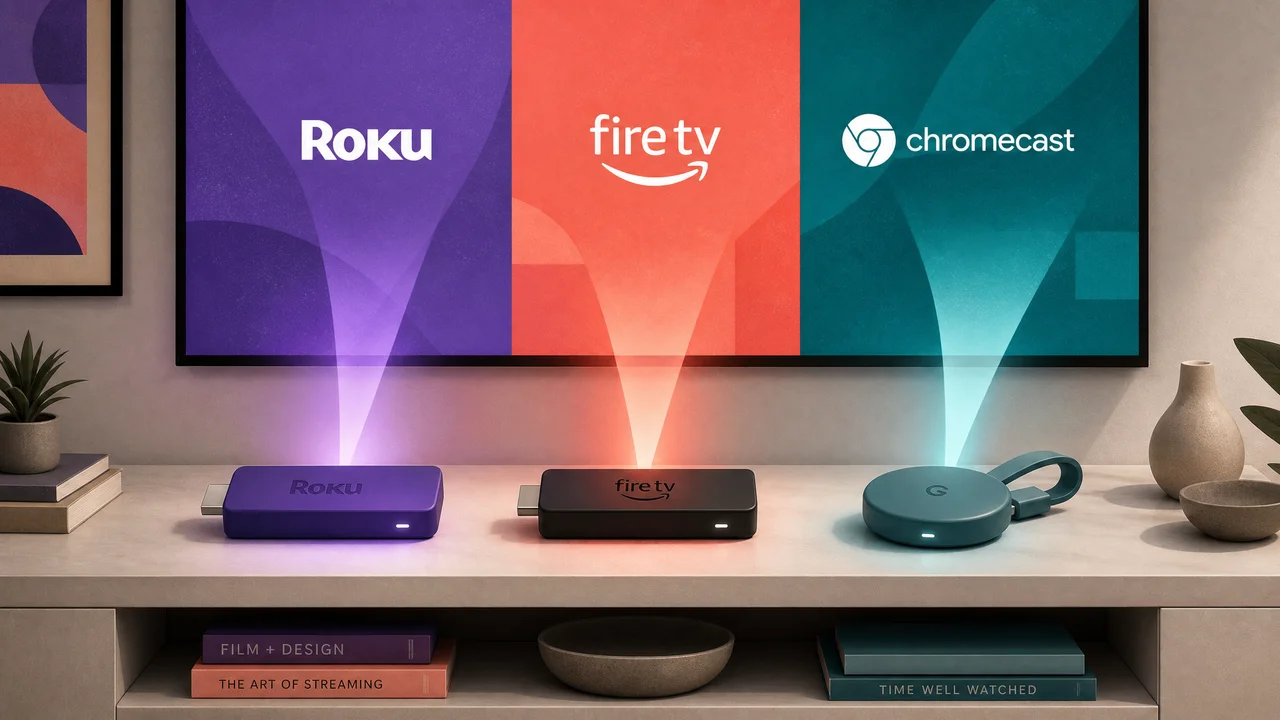
Roku, Amazon Fire Stick, and Google Chromecast dominate the market, but they serve different types of viewers. Your choice depends on which ecosystem you already use, which apps you need, and how much interface clutter you tolerate.
Anúncios
This guide puts all three through real-world tests covering boot time, navigation speed, remote ergonomics, and picture quality so you can pick confidently instead of guessing.
Boot Time and Navigation Speed: First Impressions That Stick
A streaming device comparison starts the moment you plug it in. Boot time and menu responsiveness shape every interaction from that point forward, and the gaps between these three devices are wider than expected.
Anúncios
Roku Express 4K+ boots to its home screen in roughly 25 seconds. The Fire Stick 4K Max takes about 30 seconds. Chromecast with Google TV lands around 35 seconds, making it the slowest to start from a cold power-on.
Menu Scrolling and App Launch Latency
Roku's interface loads app tiles instantly as you scroll. Fire Stick 4K Max occasionally stutters when rendering its content-heavy home screen, especially after software updates that add new recommendation rows.
Chromecast with Google TV runs Android TV, which brings Google's recommendation engine but also heavier memory usage. Scrolling through the "For You" tab feels smooth, but deep menu navigation reveals quarter-second delays.
Launching Netflix on Roku takes about three seconds from tap to playback-ready screen. The same action on Fire Stick takes four seconds, and Chromecast takes four to five. These gaps compound across an evening of app-switching.
Wake-From-Sleep Versus Full Reboot Behavior
Roku devices resume from sleep in under five seconds, returning you to the last screen. Fire Stick matches that speed but occasionally dumps you back to the home screen instead of your previous app.
Chromecast enters an ambient mode during sleep that displays photos and weather. Pressing the remote button wakes it in about four seconds, but the ambient mode consumes slightly more standby power than competitors.
If your household unplugs the TV nightly, cold boot time matters more. For always-on setups, wake-from-sleep speed is the metric that shapes your daily streaming device comparison experience.
| Feature | Roku Express 4K+ | Fire Stick 4K Max | Chromecast with Google TV | Takeaway |
|---|---|---|---|---|
| Cold Boot Time | ~25 seconds | ~30 seconds | ~35 seconds | Roku wins for households that unplug TVs at night |
| App Launch (Netflix) | ~3 seconds | ~4 seconds | ~4-5 seconds | Roku's lighter OS gives it a consistent speed edge |
| Wake From Sleep | ~4 seconds | ~4 seconds | ~4 seconds | All three perform equally here; no meaningful gap |
| Menu Scrolling | Smooth, no stutter | Occasional frame drops | Smooth with rare micro-delays | Roku's minimal UI keeps scrolling consistently fast |
| Storage (Internal) | 8 GB | 16 GB | 8 GB | Fire Stick holds more apps before needing to offload |
App Ecosystem and Platform Exclusives That Shape Your Options
Every streaming device comparison eventually comes down to app availability. All three carry Netflix, Disney+, Hulu, Max, and Amazon Prime Video. The differences emerge in niche apps, free channels, and platform-exclusive features.
Roku leads with over 4,000 channels including hundreds of free, ad-supported options. Its Roku Channel aggregates free movies and live TV without requiring any additional subscription or login.
Free Content Libraries Built Into Each Platform
The Roku Channel provides thousands of free movies, TV episodes, and 350+ live linear channels. Browsing feels like flipping through cable, except everything is free and ad-supported.
Fire Stick includes Amazon Freevee (formerly IMDb TV) with a rotating library of free movies and originals. The selection skews toward older titles, but new Freevee originals appear monthly.
- Check for your niche apps before buying. Peloton, Zwift, and niche sports apps like DAZN have inconsistent availability across platforms. Search each device's app store online to confirm your must-haves exist.
- Verify Apple TV+ app availability. Roku and Fire Stick both carry the Apple TV app. Chromecast added it later but supports it fully now. If you subscribe to Apple TV+, all three devices work without workarounds.
- Test voice search across platforms in-store. Roku searches across apps neutrally. Fire Stick prioritizes Amazon results. Chromecast favors YouTube. The bias shapes your daily streaming device comparison experience significantly.
- Count the free channels you actually watch. Roku's 4,000-channel count sounds impressive, but most viewers use fewer than ten. List your free content sources before weighting channel count as a deciding factor.
- Consider gaming and fitness app support. Fire Stick runs Luna cloud gaming natively. Chromecast supports Stadia replacements and YouTube fitness content. Roku focuses purely on video and music without gaming integration.
App availability matters most for the services you already pay for. Confirm your current subscriptions work on the device before worrying about free channel counts or future additions.
Voice Assistant Integration and Smart Home Control
Fire Stick puts Alexa on your TV remote. Ask it to dim smart lights, check the weather, or show your Ring doorbell feed without leaving the couch. No other streaming device matches this smart home depth.
Chromecast uses Google Assistant, which excels at search accuracy and Nest device control. Saying "show me action movies" returns results ranked by your viewing history across Google services.
- Match the voice assistant to your existing smart home. Alexa homes benefit from Fire Stick. Google Nest homes pair naturally with Chromecast. Mixing ecosystems creates voice command conflicts that slow everything down.
- Use voice search for cross-app discovery. Say "find Oppenheimer" and the device shows which apps carry it and at what price. This feature alone saves minutes of manual searching across four or five separate apps.
- Disable always-listening if privacy matters. Fire Stick and Chromecast both support microphone mute buttons on the remote. Roku's voice activation requires a button press, making it the least invasive by default.
- Test voice accuracy in your room. Background noise from open kitchens and ceiling fans affects recognition rates. Try five voice commands during a streaming device comparison demo to gauge real-world accuracy.
- Set up routines for hands-free TV control. Alexa routines can launch Fire Stick apps with a single phrase. "Alexa, movie night" can dim lights, turn on the TV, and open Netflix in one command sequence.
Voice assistants turn a streaming stick into a living room hub. Choose the one that talks to your existing devices and the integration feels invisible within a week.
Picture Quality and Audio Output: Where Hardware Specs Meet Your Eyes
All three devices support 4K HDR, but streaming device comparison testing reveals differences in HDR format support, color accuracy, and audio passthrough that affect what you actually see and hear.
Fire Stick 4K Max supports Dolby Vision, HDR10+, and Dolby Atmos. Chromecast with Google TV matches Dolby Vision and Atmos but skips HDR10+. Roku supports HDR10 and Dolby Vision on select models only.
HDR Format Support and Real-World Impact
Dolby Vision produces richer contrast than standard HDR10 on supported TVs. If your TV supports Dolby Vision, both Fire Stick 4K Max and Chromecast deliver it. Roku's support depends on which specific model you buy.
HDR10+ matters primarily for Samsung TV owners since Samsung championed the format. Fire Stick is the only major streaming device comparison contender that passes HDR10+ content through to Samsung displays.
Check your TV's spec sheet for supported HDR formats before buying any device. A Dolby Vision device paired with an HDR10-only TV defaults to basic HDR10 anyway, wasting the premium you paid.
Remote Design and Ergonomics for Daily Use
Roku's remote includes dedicated buttons for Netflix, Disney+, Apple TV+, and Hulu. These shortcuts launch apps in one press, skipping three navigation steps compared to scrolling through a home screen.
Fire Stick's Alexa Voice Remote Pro adds a backlit feature and a remote finder that beeps when you press a button on the app. Losing remotes between couch cushions becomes a solvable problem instead of a nightly ritual.
Chromecast's remote feels the most minimalist: slim, lightweight, and easy to hold. It lacks dedicated app buttons but includes a YouTube shortcut and a customizable button you can assign to any installed app.
Choosing the Streaming Device That Disappears Into Your Routine
Roku delivers the fastest, cleanest experience for viewers who want a neutral platform with no ecosystem pressure. Its streaming device comparison advantage is simplicity and speed across every price point.
Fire Stick wins for Alexa households, Samsung TV owners who want HDR10+, and anyone who values smart home integration through their television remote. The ecosystem lock-in is real but useful if you are already invested.
Chromecast fits Google-centric homes where Nest speakers, Android phones, and YouTube Premium already run the show. Any honest streaming device comparison ends the same way: match the device to your existing ecosystem and it becomes invisible within a day of setup.