4K Streaming Dongles: Are They Worth the Upgrade?
Are 4K streaming dongles worth buying? Compare picture quality, price differences, and real-world performance between 1080p and 4K streaming devices.
Anúncios
4K streaming dongles now cost barely more than their 1080p counterparts. With price gaps shrinking to $10 or less, the question shifts from affordability to whether the upgrade actually improves your viewing experience in meaningful ways.
What Exactly Is a 4K Streaming Dongle?
Anúncios
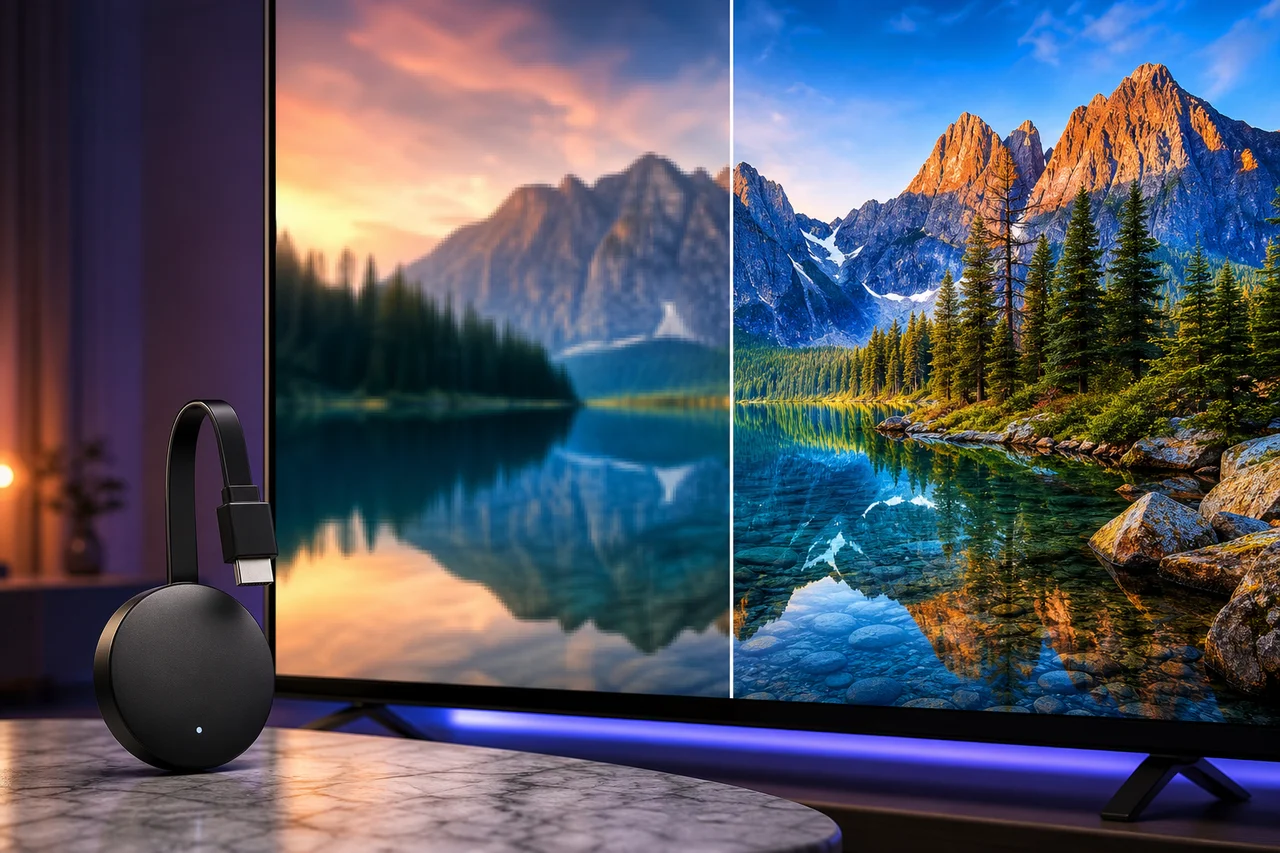
A 4K streaming dongle is a compact device that plugs into your TV's HDMI port and delivers Ultra HD content at 3840×2160 resolution. Popular examples include the Roku Express 4K+, Fire TV Stick 4K, and Chromecast with Google TV 4K.
These devices handle the processing needed to decode high-resolution video streams. They connect to your Wi-Fi network, run streaming apps, and output picture quality up to four times sharper than standard 1080p Full HD.
Can You Actually See the Difference Between 1080p and 4K?
Anúncios
On TVs 50 inches and larger, the difference between 1080p and 4K becomes clearly visible from normal viewing distances. Fine details in landscapes, textures in clothing, and clarity in facial features all improve noticeably at Ultra HD resolution.
On smaller screens below 43 inches, the improvement becomes harder to spot from a typical couch distance. The pixel density on smaller panels already makes 1080p look sharp, reducing the visual impact of the 4K upgrade.
HDR Matters More Than Resolution
High Dynamic Range technology expands the contrast and color range of the picture. HDR content shows brighter highlights, deeper blacks, and more vibrant colors. Many viewers notice HDR improvements more dramatically than the jump from 1080p to 4K.
Most 4K streaming dongles include HDR support — typically HDR10 at minimum, with premium models adding Dolby Vision and HDR10+. Buying a 4K dongle essentially bundles HDR capability, which alone justifies the modest price increase.
How Much Internet Speed Does 4K Streaming Require?
Netflix recommends 15 Mbps for 4K streaming, while other services suggest 25 Mbps for a consistent experience. Your home internet plan likely exceeds these thresholds already. The real challenge is Wi-Fi signal strength reaching your TV location.
4K streams consume roughly 7 GB per hour compared to about 3 GB for 1080p. Households with data caps should monitor monthly usage if multiple family members stream in Ultra HD simultaneously across different rooms.
- 1080p streaming: 5 Mbps minimum, ~3 GB per hour
- 4K SDR streaming: 15 Mbps minimum, ~7 GB per hour
- 4K HDR streaming: 25 Mbps recommended, ~7-10 GB per hour
- Dolby Atmos audio adds minimal extra bandwidth
Do All Streaming Services Offer 4K Content?
Netflix, Disney+, Amazon Prime Video, Apple TV+, and YouTube all offer extensive 4K libraries. HBO Max and Peacock have expanded their 4K catalogs significantly. Most new original series and movies launch in 4K by default on major platforms.
Some services charge extra for 4K access. Netflix requires its Premium tier for Ultra HD streaming. Disney+ and Apple TV+ include 4K in their standard plans. Check your subscription tier before assuming your favorite service delivers 4K content.
Which 4K Dongle Performs Best?
The Fire TV Stick 4K Max offers the fastest processor and Wi-Fi 6E support among budget 4K dongles. Roku Express 4K+ delivers the smoothest interface with the broadest app selection. Chromecast with Google TV 4K excels at content recommendations.
Apple TV 4K outperforms all dongles but costs three to four times more. For pure streaming performance relative to price, the Fire TV Stick 4K Max currently leads the pack with its latest-generation hardware.
What About Dolby Vision vs HDR10+?
Dolby Vision uses dynamic metadata that adjusts picture settings scene by scene, producing the most accurate HDR presentation. HDR10+ offers similar dynamic capability as an open standard. Not all TVs support both formats.
Fire TV Stick 4K supports both Dolby Vision and HDR10+. Chromecast with Google TV handles Dolby Vision and HDR10. Apple TV 4K covers both formats. Roku varies by model, so verify compatibility with your specific TV before purchasing.
Does 4K Streaming Affect Audio Quality?
4K content frequently includes enhanced audio formats like Dolby Atmos and DTS:X. The streaming dongle must support audio passthrough to send these immersive audio signals to your soundbar or AV receiver properly.
Budget 4K dongles handle basic Dolby Digital and Dolby Digital Plus. Dolby Atmos passthrough works on the Fire TV Stick 4K, Chromecast 4K, and Roku Streaming Stick 4K. Verify your specific model supports the audio format your equipment requires.
Should You Upgrade an Existing 1080p Dongle?
Replace a 1080p dongle if your TV supports 4K and the device is more than two years old. Newer 4K dongles offer better processors, Wi-Fi improvements, and HDR support that older 1080p models lack entirely.
Keep your 1080p dongle if your TV maxes out at Full HD. A 4K streaming device connected to a 1080p TV simply downscales its output, providing no visual benefit. The processing improvements help, but they do not justify the purchase alone.
How to Get the Best Picture From Your 4K Dongle
Enable 4K output in the device settings and turn on HDR matching or auto frame rate switching. Use a high-speed HDMI cable rated for 4K at 60Hz. Position your router to minimize Wi-Fi interference, or consider an Ethernet adapter for the most stable connection.
Adjust your TV's picture mode to Cinema or Filmmaker Mode for the most accurate colors during 4K HDR playback. Vivid and Dynamic modes oversaturate colors and add unnecessary processing that distorts the intended picture quality.
Are 4K Dongles Future-Proof?
No streaming device is truly future-proof, but 4K dongles purchased now will remain relevant for three to five years. 8K content remains scarce and prohibitively bandwidth-intensive. The 4K standard will dominate home streaming for the foreseeable future.
Wi-Fi 6 and 6E support in newer dongles provides headroom for faster networks and more connected devices. Buying a dongle with the latest wireless standard extends its useful life as home network speeds continue increasing.
The Verdict on 4K Streaming Dongles
If your TV supports 4K and your internet exceeds 25 Mbps, a 4K streaming dongle is an easy recommendation. The price premium over 1080p models has practically vanished, and the combined benefits of higher resolution plus HDR make the viewing experience genuinely better.