Apple TV 4K Review: Is the Premium Price Justified?
Apple TV 4K in-depth review. Performance, features, app support, and honest assessment of whether the premium price is worth it over Roku and Fire Stick.
Anúncios
Apple TV 4K sits at the top of the streaming device market in both price and polish. Starting at $129 while competitors sell for $30 to $50, it demands justification that goes beyond brand loyalty. This review examines whether the premium delivers proportional value.
What Hardware Does Apple TV 4K Include?
Anúncios
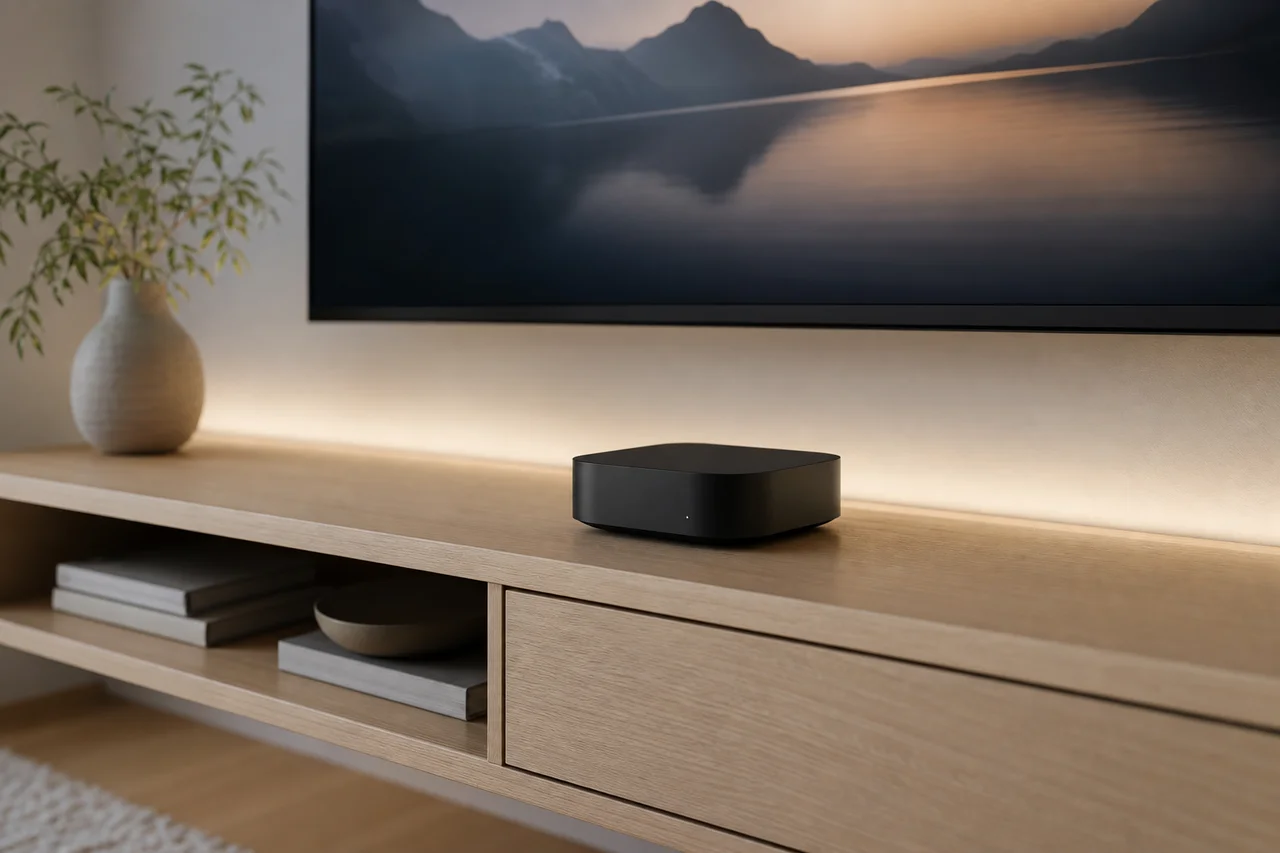
The current Apple TV 4K runs an A15 Bionic chip — the same processor found in recent iPhones. It comes with 64 GB of storage on the Wi-Fi model and 128 GB on the Wi-Fi + Ethernet model. The redesigned Siri Remote uses a clickpad with touch-sensitive navigation.
Build quality exceeds every competitor. The aluminum and plastic enclosure feels substantial, and the Siri Remote's aluminum body contrasts sharply with the lightweight plastic remotes bundled with budget sticks. Physical craftsmanship is objectively superior at this price point.
How Fast Is the A15 Bionic for Streaming?
Anúncios
The A15 chip makes Apple TV 4K the fastest streaming device available. Apps launch in under a second. Menu navigation feels instantaneous. Switching between apps happens without the brief loading pauses that budget devices exhibit. The speed difference is immediately noticeable.
This processing power also enables gaming through Apple Arcade and the App Store. Casual and mid-tier games run smoothly with Bluetooth controller support. The A15 transforms Apple TV from a streaming device into a casual gaming platform that handles both roles convincingly.
Does Apple TV 4K Deliver Better Picture Quality?
Apple TV 4K supports Dolby Vision, HDR10+, and HDR10 across all compatible apps. Frame rate matching and dynamic range matching automatically adjust output to match content, eliminating the judder and format-switching issues that cheaper devices sometimes exhibit.
The actual picture quality of streamed content looks identical across devices when settings are configured correctly. A $40 Fire Stick 4K displaying Netflix at 4K Dolby Vision produces the same pixels as Apple TV. The Apple advantage lies in more consistent automatic handling rather than raw visual output.
How Does the Siri Remote Compare to Competitors?
The current Siri Remote dramatically improves over the controversial first-generation model. The clickpad combines touch gestures with directional pressing. A dedicated power button, back button, and Siri button provide physical controls for every common action.
The remote charges via USB-C and lasts months between charges. Find My support locates a misplaced remote through the iPhone's Find My app. These convenience features justify part of the premium for users who frequently lose remotes in couch cushions.
What Makes the Apple Ecosystem Integration Valuable?
AirPlay mirrors iPhone, iPad, and Mac screens to the TV instantly. SharePlay lets friends watch together remotely. Apple Fitness+ transforms your living room into a workout studio. HomeKit turns Apple TV into a smart home hub controlling lights, cameras, and thermostats.
- AirPlay: Mirror any Apple device screen to the TV wirelessly
- SharePlay: Watch movies together with remote friends
- Apple Fitness+: Guided workouts on the big screen
- Apple Arcade: 200+ games with controller support
- HomeKit Hub: Control smart home devices through Apple TV
- Find My: Locate the Siri Remote via iPhone
Is the App Selection Competitive?
Apple TV supports every major streaming service: Netflix, Disney+, Hulu, Amazon Prime Video, HBO Max, Peacock, Paramount+, YouTube, and dozens more. The App Store provides additional apps and games beyond what Roku or Fire TV offer in their stores.
Some niche free streaming channels available on Roku are absent from Apple TV. The trade-off favors premium app quality over free content quantity. Users relying heavily on free ad-supported channels may find Roku's broader selection more aligned with their viewing habits.
How Long Does Apple TV Receive Software Updates?
Apple provides the longest software support in the streaming device industry. Previous Apple TV models received five to seven years of tvOS updates. This longevity means your $129 investment spreads across many years of active, supported use.
Compare this to Roku and Amazon devices that typically receive three to four years of meaningful updates. Over a seven-year span, one Apple TV costs less than buying two or three replacement budget sticks while maintaining consistent feature parity with current models.
What About Privacy on Apple TV?
Apple TV collects substantially less user data than competing platforms. Apple's revenue model depends on hardware and services rather than advertising, reducing the incentive to harvest viewing behavior. The home screen displays zero third-party advertisements.
Siri voice queries are anonymized and not linked to your Apple ID by default. App tracking transparency requires apps to request permission before tracking your activity across other services. Privacy-conscious users gain meaningful protection that advertising-funded platforms cannot match.
Who Should Not Buy Apple TV 4K?
Budget-conscious buyers who only need basic streaming gain no proportional benefit from the premium. Android phone users miss the ecosystem integration that justifies much of the price. Households without other Apple devices lose access to AirPlay, SharePlay, and HomeKit hub features.
Casual viewers who watch one or two shows weekly cannot appreciate the speed advantage. Free content enthusiasts find better selections on Roku. Anyone satisfied with their current $30 streaming device has little practical reason to upgrade to Apple TV's price tier.
Who Benefits Most From Apple TV 4K?
Apple TV 4K shines for iPhone owners who value seamless device integration. Home theater enthusiasts appreciate automatic format matching and superior audio handling. Privacy-focused viewers benefit from minimal data collection. Apple Arcade subscribers gain a casual gaming platform at no extra device cost.
Families already paying for Apple One bundles extract maximum value from Apple TV's included services. When Fitness+, Arcade, Apple Music, and iCloud storage already justify the subscription, Apple TV becomes the natural hardware to consume those services on the largest screen.
How Does Apple TV 4K Compare on Value?
Measured over five years of ownership, Apple TV 4K costs roughly $26 per year. A $40 Fire Stick replaced every three years costs about $13 per year. The Apple premium is real but smaller than the sticker price suggests when viewed through a long-term ownership lens.
The intangible value of ecosystem integration, privacy protection, and superior build quality resists easy quantification. For users who value these qualities, Apple TV delivers. For users focused purely on streaming content at minimum cost, budget alternatives win.
Final Verdict: Worth the Premium?
Apple TV 4K justifies its price for households embedded in the Apple ecosystem. The combination of speed, privacy, build quality, long-term support, and seamless integration creates a premium experience that budget devices cannot replicate. For everyone else, excellent alternatives exist at a third of the price.