Best Streaming Device for Older TVs Without Smart Features
Best streaming devices for older TVs. Turn any TV with HDMI into a smart TV with affordable Roku, Fire Stick, or Chromecast streaming sticks.
Anúncios
Older televisions with great picture quality often lack streaming capabilities. Replacing a perfectly good TV just for smart features wastes money and creates unnecessary electronic waste. A $25 streaming device adds every modern feature while keeping your reliable display working.
Can Old TVs Use Modern Streaming Devices?
Anúncios
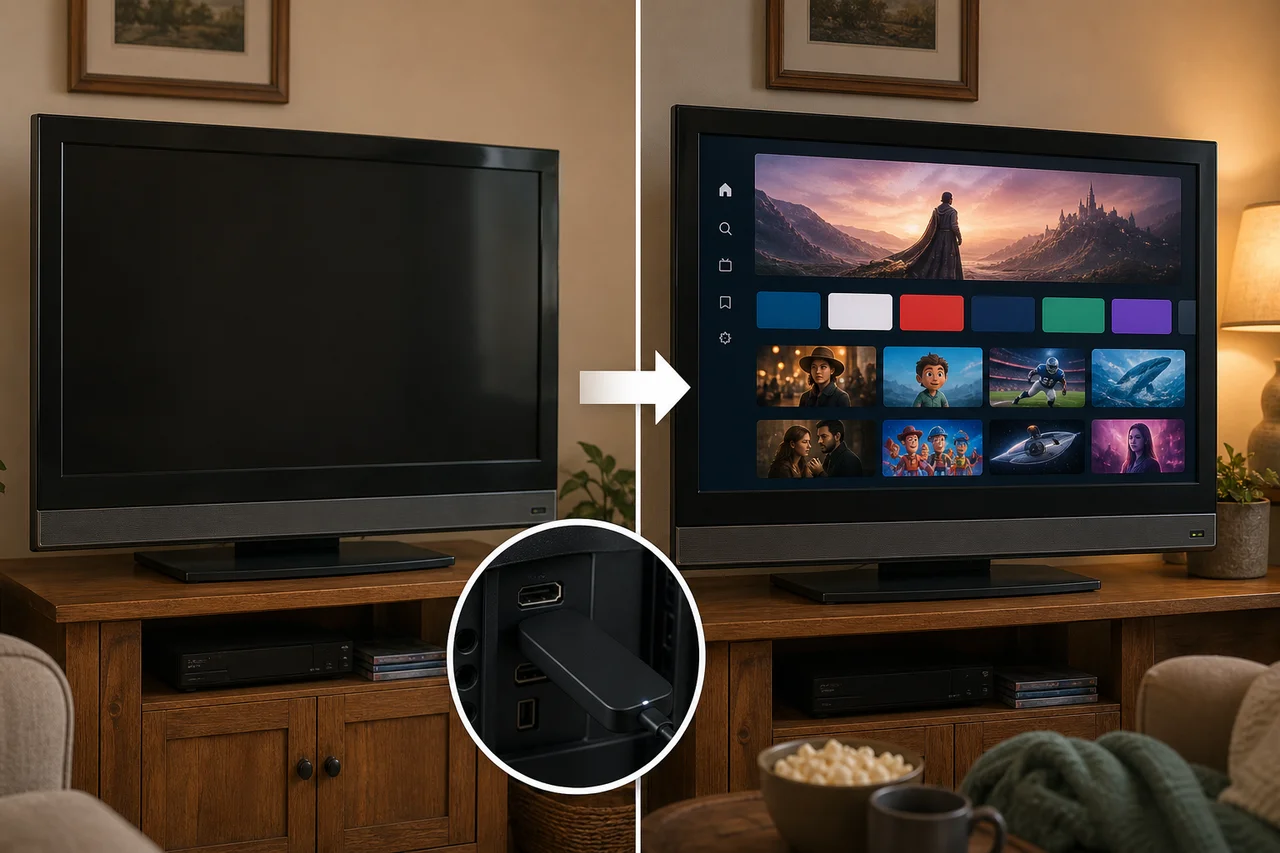
Any television with an HDMI port supports modern streaming devices. Even TVs manufactured a decade ago typically include at least one HDMI input. Plug in a Roku, Fire Stick, or Chromecast, and your older TV instantly gains access to thousands of streaming apps.
TVs without HDMI ports — those with only component, composite, or coaxial inputs — present a bigger challenge. HDMI-to-composite adapters exist but reduce picture quality to standard definition. At that point, the TV's age may warrant replacement rather than adaptation.
Which Streaming Device Works Best on Older TVs?
Anúncios
The Roku Express delivers the best experience for older 1080p TVs. It costs under $25, runs every major streaming app, and its simple interface requires minimal processing power. The Roku remote includes TV power and volume buttons for unified control.
The Amazon Fire TV Stick Lite offers a similar value proposition with Alexa voice control. For households already using Alexa devices, the Fire Stick integrates into the existing smart home seamlessly while adding streaming to the older television.
Do You Need a 4K Device for a 1080p TV?
A 4K streaming device connected to a 1080p TV simply outputs at 1080p. The TV cannot display more resolution than its panel supports. However, 4K devices often include faster processors and better Wi-Fi that improve the overall experience even on lower-resolution displays.
The price difference between 1080p and 4K streaming devices is often just $5 to $10. Buying the 4K version future-proofs your purchase in case you eventually upgrade the television, making it the smarter long-term investment at minimal extra cost.
How Do You Connect a Streaming Device to a TV?
Plug the streaming stick directly into an open HDMI port on your TV. Connect the USB power cable to the included wall adapter and plug it into a nearby outlet. Switch your TV to the correct HDMI input using the source or input button on your TV remote.
The streaming device's setup wizard guides you through connecting to Wi-Fi and signing into your accounts. The entire process from unboxing to watching content typically takes five to ten minutes, even for first-time users with no technical experience.
What If Your TV Has No Available HDMI Ports?
An HDMI switch expands one port into three or more inputs. Connect the switch to the TV's HDMI port, then plug multiple devices into the switch. Switches cost $10 to $25 and solve the port shortage without any quality loss on properly rated models.
- HDMI switch: Adds 3-5 extra ports to one TV input
- HDMI-to-composite adapter: Connects to old RCA inputs at reduced quality
- HDMI-to-component adapter: Better quality than composite for older HDTVs
- HDMI extender cable: Helps when ports are hard to reach behind the TV
Will a Streaming Device Improve My Old TV's Picture?
A streaming device does not change your TV's panel capabilities. A 720p TV remains 720p regardless of what device connects to it. However, you gain access to higher quality content sources than traditional cable or antenna, which can make the existing picture look better.
Streaming services encode video more efficiently than cable broadcasts. Content delivered at 1080p through Netflix or Disney+ often looks sharper than 1080i cable signals on the same TV because the compression algorithms are more advanced.
How Does Audio Work With Older TVs?
Streaming devices output audio through the HDMI connection. Your TV's built-in speakers handle the sound. For better audio, connect a soundbar to the TV's optical audio output or headphone jack if the TV lacks HDMI ARC support.
Some streaming devices support Bluetooth audio output directly. Pairing Bluetooth headphones or a Bluetooth speaker with the streaming device bypasses the TV's audio system entirely, providing better sound without any cables or TV upgrades.
Can Streaming Replace Cable on an Older TV?
Absolutely. A streaming device gives your older TV access to Netflix, YouTube TV, Hulu Live, and every other streaming service. Live TV streaming packages replace cable with lower monthly costs. A digital antenna adds free local channels alongside your streaming setup.
Cord-cutting saves most households $50 to $100 monthly compared to cable packages. The one-time cost of a streaming device pays for itself within the first month of cancelled cable service, making it one of the fastest returns on any tech purchase.
What About Free Streaming Options for Older TVs?
Free ad-supported streaming services provide thousands of movies and shows without subscriptions. Pluto TV, Tubi, The Roku Channel, Amazon Freevee, and Peacock's free tier all run on every major streaming device. Budget-conscious viewers enjoy substantial content at zero monthly cost.
These free services rival paid options in content volume, though they lack the latest original series. For casual viewers who watch movies, classic TV shows, and news, free streaming through a budget device provides enough entertainment without any subscription fees.
How Long Will Streaming Devices Support Older TVs?
Streaming devices output standard HDMI signals compatible with any HDMI-equipped display indefinitely. The device itself may stop receiving software updates after three to five years, but it continues functioning with installed apps until those services drop support for the hardware.
When a streaming device eventually becomes too old, replacing it with a current model for $25 to $40 restores full functionality to your older TV. This modular approach keeps your display useful for a decade or more with periodic, inexpensive device upgrades.
Giving Your Older TV New Life
Adding a streaming device to an older TV is the single best value upgrade in home entertainment. For the price of one month of cable, you gain access to thousands of apps, voice search, and streaming services that make your existing television feel brand new.