Portable Streaming Devices for Travel and Hotels
Best portable streaming devices for travel. How to use Roku, Fire Stick, and Chromecast in hotels with captive portal Wi-Fi and limited connectivity.
Anúncios
Hotel TV channel lineups feel frozen in time. Bringing a streaming device transforms any hotel room television into your personal entertainment center with all your subscriptions, watchlists, and viewing history intact from home.
Which Streaming Devices Travel Best?
Anúncios
Small streaming sticks win for portability. The Roku Streaming Stick 4K, Fire TV Stick 4K, and Chromecast with Google TV all weigh under two ounces and fit in a pocket. Their compact size and built-in HDMI connectors eliminate the need for extra cables.
Apple TV 4K works for travel but its box form factor and required HDMI cable add bulk. Pack it in a small pouch with its power cable and remote. The experience remains premium, but the convenience factor drops compared to pocket-sized sticks.
How Do You Connect to Hotel Wi-Fi?
Anúncios
Hotel Wi-Fi typically requires accepting terms through a browser page called a captive portal. Most streaming devices lack web browsers, making this login step impossible directly. Several workarounds exist depending on your device and equipment.
The simplest solution uses your phone as a mobile hotspot. Connect the streaming device to your phone's hotspot instead of the hotel Wi-Fi. This bypasses captive portals entirely, though it consumes your cellular data plan.
Can You Use a Phone Hotspot for Streaming?
Mobile hotspots work well for streaming when you have a strong cellular signal. 1080p streaming uses about 3 GB per hour and 4K uses about 7 GB per hour. Check your data plan limits before streaming extensively through your hotspot.
Lower the streaming resolution to 720p or 1080p in app settings to conserve data. Most streaming services let you adjust quality within the app. The picture quality difference on a hotel TV at viewing distance is minimal compared to the data savings.
What Is a Travel Router and Do You Need One?
A travel router connects to hotel Wi-Fi through its browser interface and creates a private network that streaming devices can join. Models from GL.iNet and TP-Link start around $25 and fit in your palm. They solve the captive portal problem elegantly.
The travel router authenticates with the hotel network once, then shares that connection with all your devices. Your streaming stick, phone, and laptop all connect to the travel router's private network with a consistent password you set yourself.
- Plug the travel router into a power source
- Connect your phone to the travel router's Wi-Fi
- Open the router's admin page and connect it to hotel Wi-Fi
- Complete the hotel captive portal login through the router
- Connect your streaming device to the travel router's network
Does the Fire Stick Have a Built-In Hotel Mode?
Amazon Fire TV Stick includes a feature for connecting to networks with captive portals. During Wi-Fi setup, a basic browser window appears that lets you complete hotel login pages directly on the device. This feature works inconsistently across different hotel systems.
Roku devices added similar captive portal support in recent updates. Chromecast relies more on its companion phone app for network authentication. Apple TV requires a connected iPhone on the same network to relay captive portal pages.
What Should You Pack for Streaming on the Road?
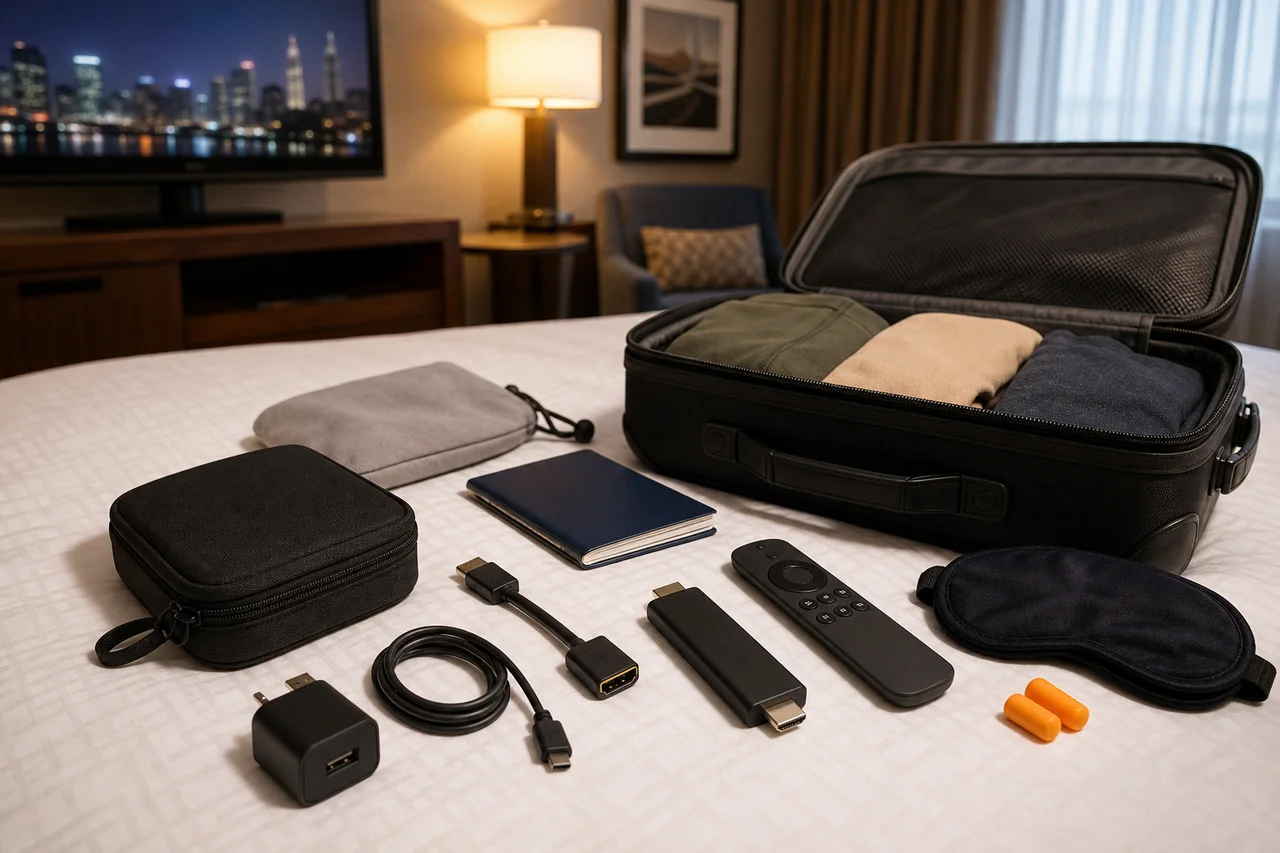
Pack the streaming stick, its USB power cable, and a wall adapter. Hotel USB ports rarely supply enough power for reliable streaming device operation. Include a short HDMI extender if your stick tends to block adjacent ports on unfamiliar TVs.
A travel router adds versatility for difficult hotel networks. An HDMI extension cable of six inches provides flexibility with various TV port configurations. Keep everything in a small zippered pouch to avoid losing tiny accessories in luggage.
Will Hotel TVs Block HDMI Inputs?
Some hotel TVs lock input selection to prevent guests from accessing HDMI ports. Higher-end hotels increasingly restrict this as part of their paid entertainment systems. Budget hotels and vacation rentals rarely lock HDMI access.
If the TV input is locked, check for an accessible HDMI port on the side or back panel. Some locked TVs only restrict the remote's input button while leaving physical port access available. A universal remote app on your phone may bypass software locks.
How Do Vacation Rentals Handle Streaming?
Vacation rentals through Airbnb and VRBO usually provide open TVs with standard Wi-Fi access. Plugging in your streaming device takes seconds and avoids signing into the rental's pre-installed apps where previous guests may have left their accounts active.
Always sign out of streaming apps before leaving a rental property. Better yet, use your own device exclusively and never sign into apps on the rental's existing smart TV. This protects your account credentials from remaining accessible to future guests.
Can You Download Content for Offline Viewing?
Most streaming services offer download features through their mobile apps on phones and tablets. Netflix, Disney+, Amazon Prime Video, and others let you download shows and movies over Wi-Fi before traveling, then watch without any internet connection.
Streaming devices themselves do not support offline downloads due to limited storage. For flights and locations without Wi-Fi, a tablet with pre-downloaded content serves better than a streaming stick that requires an active internet connection.
What About International Travel With Streaming Devices?
Streaming devices work internationally, but content libraries change by country due to licensing agreements. A show available on Netflix in the United States may not appear in the European library. VPN services can sometimes restore access to your home country's content.
Power adapters differ by country. Bring a universal travel adapter for your streaming device's wall plug. The USB power cable and streaming stick itself work on any voltage, but the wall adapter must match the local outlet configuration.
Security Tips for Streaming While Traveling
Hotel Wi-Fi networks are public and potentially insecure. A travel router creates a private encrypted network between your devices. A VPN adds another encryption layer, protecting your streaming activity and login credentials from potential network snooping.
Change your streaming account passwords if you suspect any account was compromised during travel. Enable two-factor authentication on all streaming services before your trip for an added layer of protection against unauthorized access.
Making Travel Streaming Hassle-Free
Preparation makes travel streaming smooth. Test your portable setup at home before the trip. Verify your mobile data plan covers hotspot usage. Pack all accessories together. A five-minute setup at your destination delivers hours of familiar entertainment away from home.