Roku vs Fire Stick vs Chromecast vs Apple TV Compared
Compare Roku, Fire Stick, Chromecast, and Apple TV side by side. Features, pricing, app selection, and which streaming device fits your setup best.
Anúncios
Choosing a streaming device feels overwhelming when four major players dominate the market. Roku, Amazon Fire Stick, Google Chromecast, and Apple TV each bring unique strengths to the table, and the right pick depends on your specific needs.
What Makes Each Streaming Device Different?
Anúncios
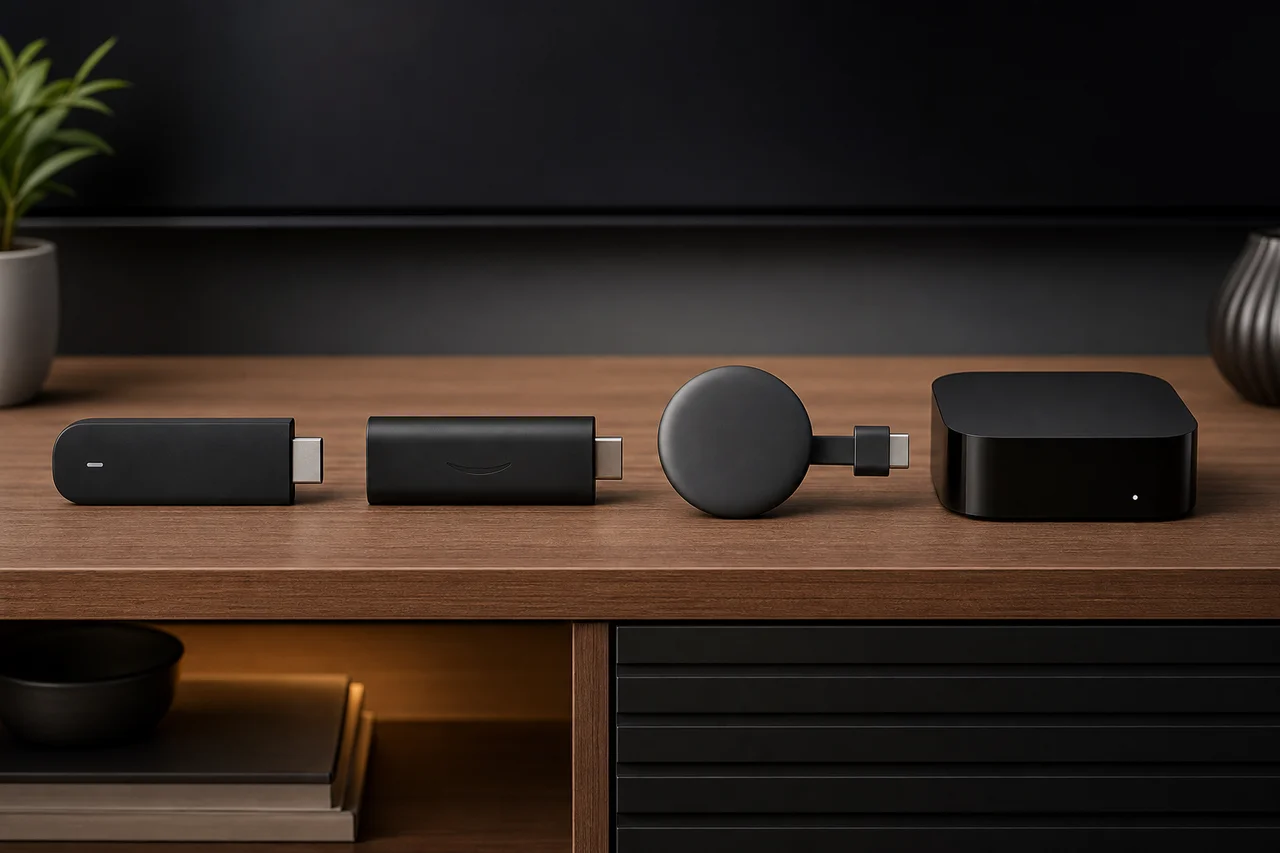
Every streaming platform builds its device around a different philosophy. Roku focuses on neutrality and app variety. Amazon integrates Alexa and its shopping ecosystem. Google leans into casting and Android integration. Apple prioritizes a premium, walled-garden experience.
These design choices affect everything from the remote control layout to which apps appear first on your home screen. Understanding these differences saves you from buyer's remorse down the road.
Roku Streaming Stick: The Neutral Champion
Anúncios
Roku remains the most platform-agnostic streaming device available. It supports virtually every major streaming service without favoring any single provider. The interface stays clean and ad-supported pricing keeps hardware costs low.
The Roku Channel offers free ad-supported content, and the universal search pulls results across all installed apps. For cord-cutters who subscribe to multiple services, this neutrality proves invaluable.
How Does the Amazon Fire Stick Perform?
Amazon's Fire TV Stick delivers solid performance at aggressive price points. The Fire TV interface promotes Amazon Prime Video and Freevee content prominently. Alexa voice control works throughout the entire system, including smart home device management.
Fire Stick shines for Prime members who already use Amazon's ecosystem. The downside is heavier advertising on the home screen compared to competitors, which can frustrate users seeking a cleaner interface.
Chromecast with Google TV: Best for Android Users?
Google's Chromecast evolved from a simple casting dongle into a full streaming device with Google TV. The recommendation engine pulls content from all your subscriptions into one watchlist. Google Assistant handles voice searches and smart home controls seamlessly.
Android phone users benefit from tight integration with their mobile device. Casting from phone to TV remains smoother than any competitor. The hardware runs affordable, though storage limitations can restrict app installations.
Is Apple TV 4K Worth the Premium Price?
Apple TV 4K costs significantly more than its rivals, often three to four times the price of a basic Fire Stick. The premium buys you superior build quality, a faster processor, and tight integration with iPhones, iPads, and Macs.
AirPlay mirroring, Apple Fitness+, and Apple Arcade add value for households invested in Apple's ecosystem. The Siri Remote received major improvements, though the device remains overkill for casual viewers on a budget.
Which Device Has the Best App Selection?
Roku leads with over 10,000 channels available in its store. Fire TV follows closely, with most major apps represented. Google TV and Apple TV support all mainstream services, though niche apps sometimes arrive later on these platforms.
- Roku: Largest app library with 10,000+ channels
- Fire TV: Strong selection with Amazon-exclusive content
- Google TV: All major apps plus excellent casting support
- Apple TV: Premium apps with exclusive Apple Arcade games
How Do Voice Assistants Compare Across Devices?
Alexa on Fire Stick handles the widest range of smart home commands. Google Assistant excels at answering general questions and finding content across services. Siri on Apple TV works well within Apple's ecosystem but lags behind in third-party integrations.
Roku's voice search is functional but limited to content discovery. It lacks the smart home breadth of Alexa and Google Assistant, which matters if you use your streaming device as a home hub.
Picture Quality and 4K HDR Support
All four devices offer 4K HDR streaming on their premium models. Apple TV 4K supports Dolby Vision and HDR10+. Chromecast with Google TV handles Dolby Vision. Fire Stick 4K Max supports both formats. Roku Express 4K+ delivers reliable 4K at the lowest price.
For most viewers, picture quality differences between these devices are negligible. Your internet speed and TV capabilities matter far more than the streaming device itself when it comes to visual output.
What About Audio Quality and Dolby Atmos?
Dolby Atmos passthrough varies by device and model. Apple TV 4K handles spatial audio natively with AirPods. Fire Stick 4K Max and Chromecast with Google TV both support Atmos when connected to compatible soundbars or receivers.
Roku's Atmos support depends on the specific model. The Roku Ultra and Streaming Stick 4K support it, while budget models skip spatial audio entirely. Check your soundbar compatibility before choosing.
Price Comparison: Which Offers the Best Value?
Budget rankings stay consistent year after year. Fire Stick Lite and Roku Express start under $30. Chromecast with Google TV HD sits around $30. The 4K versions of each range from $40 to $60. Apple TV 4K starts at $129, making it the clear premium option.
Sale pricing during Black Friday and Prime Day can cut these prices in half. Timing your purchase around major retail events saves significant money on any of these devices.
Which Streaming Device Works Best for Families?
Roku offers simple parental controls and a straightforward interface that older family members navigate easily. Fire Stick includes Amazon Kids profiles with content filtering. Apple TV supports Family Sharing across Apple IDs with granular age restrictions.
Google TV recently added kids profiles with curated content recommendations. For multi-generational households, Roku's simplicity often wins because everyone from grandparents to teenagers can figure out the remote without a tutorial.
How Do These Devices Handle Software Updates?
Apple TV receives the longest software support, typically five or more years of updates. Roku updates devices for several years but eventually drops older hardware. Amazon and Google fall somewhere in between, with three to four years of reliable updates on average.
Longer update cycles mean better security patches and new features over time. If you plan to keep your streaming device for years, Apple TV's longevity justifies part of its higher cost.
Gaming Capabilities on Each Platform
Apple TV 4K doubles as a casual gaming console with Apple Arcade support and Bluetooth controller pairing. Fire Stick runs Luna cloud gaming from Amazon. Chromecast supports Stadia's replacement services. Roku offers basic games but nothing competitive.
None of these replace a dedicated gaming console. However, for casual gamers who want occasional entertainment between streaming sessions, Apple TV and Fire Stick provide the most gaming versatility.
Final Verdict: Picking Your Ideal Streaming Device
Choose Roku for neutrality and simplicity. Pick Fire Stick for Alexa integration and budget pricing. Go with Chromecast for Android ecosystem synergy. Select Apple TV for premium quality and long-term value within Apple's world.
No single device wins every category. Match your streaming device to your existing tech ecosystem, budget constraints, and viewing priorities for the best result.